
Search the App Store (iPhone) or Google Play Store (Android) for "DEICHMANN". Download it for free. Or scan the QR code here on the website. In-store, we'll be happy to help you with the download.
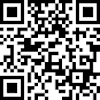
Search the App Store (iPhone) or Google Play Store (Android) for "DEICHMANN". Download it for free. Or scan the QR code here on the website. In-store, we'll be happy to help you with the download.
No, you can use the app without signing up. However, registering after downloading is advisable for exclusive features such as wishlists, benefits, or orders. Tip: Subscribe to the newsletter and allow push notifications to not miss out on any offers and trends.
Tap on the heart icon in the navigation bar. There you will find all the articles you have saved.
Tap on the heart icon next to the product. It will then be removed from your wishlist.
Yes. After signing up, you can see the current status of your delivery under "Orders".
Use the Store Locator in the app. Go to "Account", then "My Stores", then "Find Store".
Yes. Tap on the shoe in the app. Under "Store availability," you can see if it is available in your store. You can also select a different store under "Change store."
Go to "Account", then "My Stores". There you can save your favorite store. This way, you can quickly find information such as opening hours or stock.
Your favourite store will always be displayed first. However, you can also select other stores and check if your item is available there.
Activate the newsletter and push notifications in the app. This way you won't miss any new offers, collections, or discount promotions.
Enter the promotion code when paying in the app. The discount will be deducted automatically. Or show the code in the store and have it scanned there.
Then speak to us in-store or contact us directly through the app - simply tap on "Account" then "Help" and then "Contact".